R&R WFM will be at the FoodChain Forward event on Wednesday, October 28. Want to attend? Get your tickets here.
In this edition: More insight into hours worked/clocked | More insight into absences from hours worked & More insight into leave movements
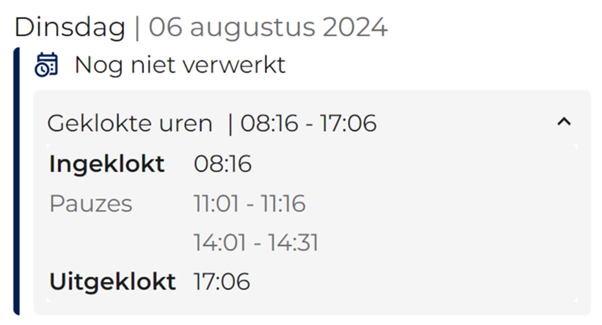
Starting Wednesday, August 28, the R&R Job App will also show clocked times in the hours worked screen (under the menu item "Hours"). This makes it immediately clear to the employee whether the times have also been recorded correctly.
As long as the clocked times have not yet been approved in the realization or payment, the message "Not yet processed" will be shown with the times.
As reported in previous newsletters, this functionality can be disabled through configuration if desired.
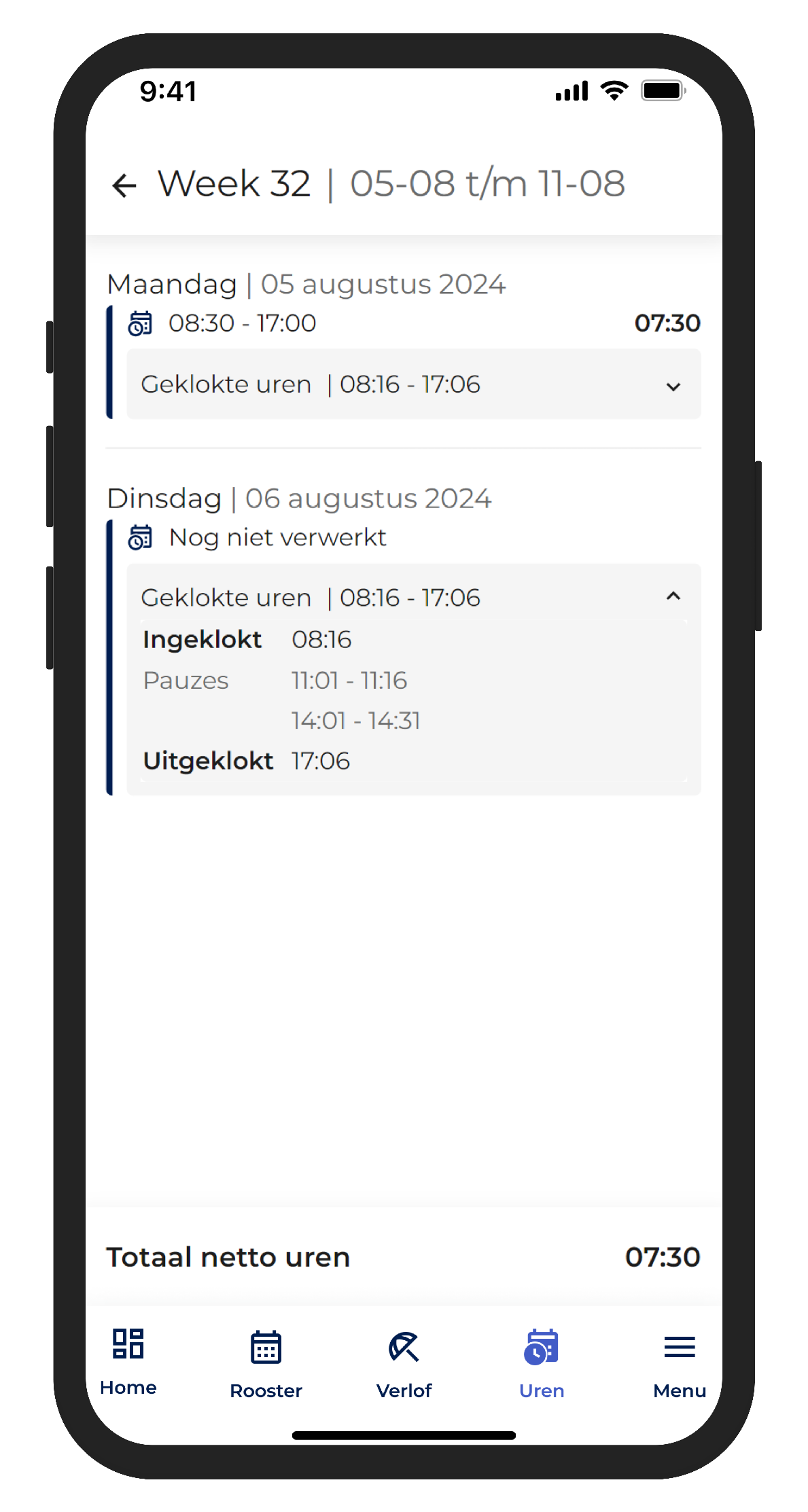
Also, starting Wednesday, hours worked will be updated after the realization is approved. Once the realization for a day is approved for all employees in a store, DC or gas station, the hours worked for that day will become visible in the R&R job app. Changes made after that will also become visible after a few minutes, regardless of whether they are explicitly approved again. This ensures that the employee and you are always looking at the same data.
This functionality can be disabled with configuration if desired.
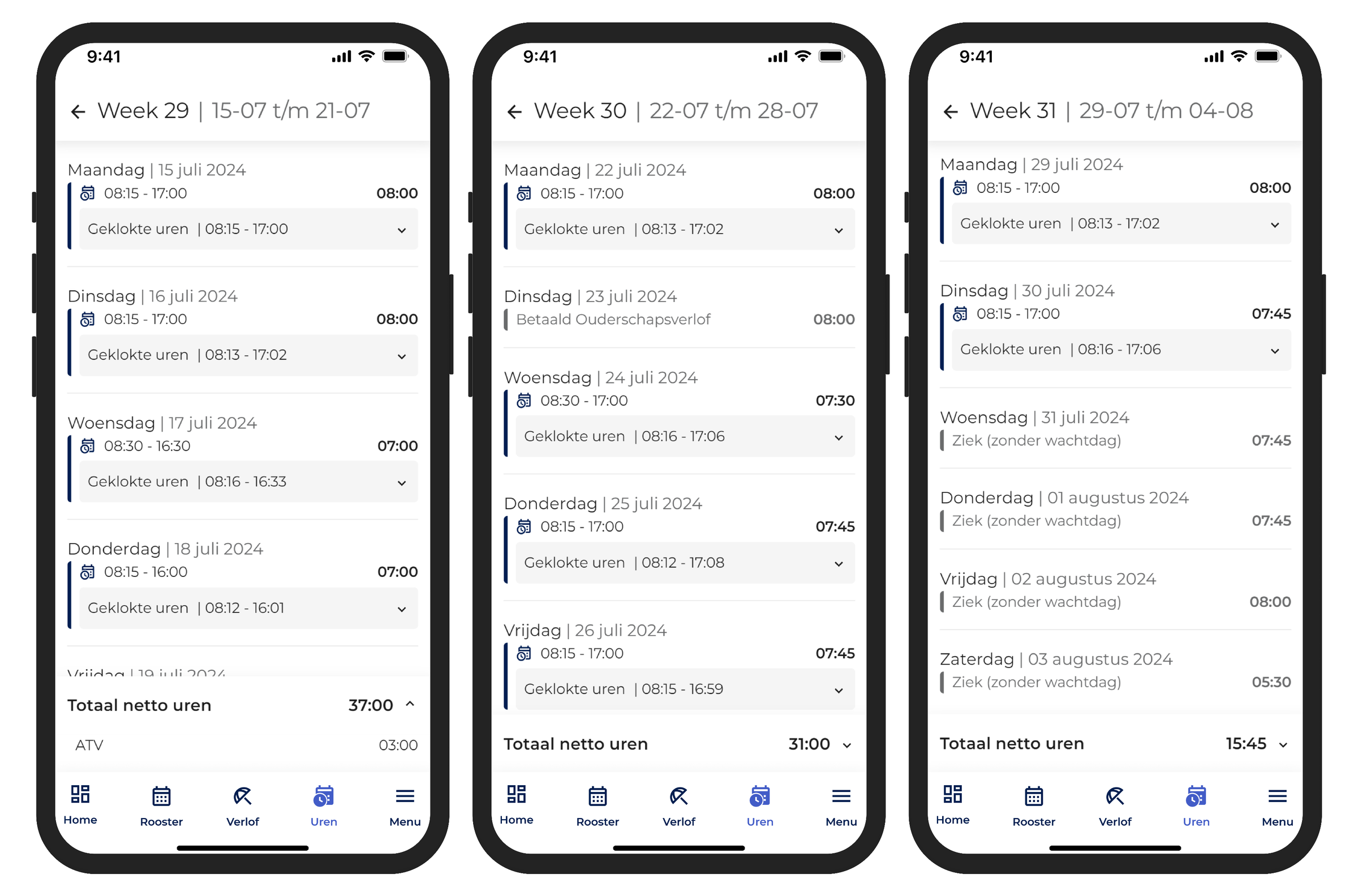
In addition to the hours worked by the employee, registered absences will also be displayed. When showing how many parental leave, regular leave or sick hours were recorded in a week, it is easy for the employee to see if everything was recorded correctly. This reduces the number of notifications that normally come in only after the paycheck is sent. These absences become visible only after establishing the payroll screen in R&R. Because ATV or RVU return weekly as filler for the week, they are not displayed on a specific day, but are placed at the bottom of the weekly total. This ensures that there is a recognizable result each week, even when working on different days.
Like the above features, it too can be disabled through configuration.
An employee is already able to see their leave balances in the R&R job app. All leave entries are aggregated and displayed by leave type for the entire year. In this we are going to introduce more flexibility.
To give more insight into these leave mutations, we are going to show these mutations for different periods. We will keep the unambiguous overview in which you can see all your current leave balances, but add the option to see the individual mutations from the past pay period. In this way, the employee can quickly check whether the salary slip is correct.
Do employees want even more details on the mutations of a particular leave type? Then they can directly view the full history, in which all changes on the leave per week are visible. Optionally, you can choose to show the leave mutations directly with the hours worked. This way, your employees can immediately see whether a certain week has yielded extra time for time, or whether hours were actually taken this week. This way, they always have a complete overview to minimize surprises on the paycheck and resulting questions.
Do you have any questions in response to the above information? If so, please contact us at aftersales@rr-wfm.com and we'll make sure your question or information gets to the right people.
Want to be the first to receive our product updates? Subscribe via this page and we'll put you on the mailing list. Want to read back older newsletters? You can always do that through our website. The archive of our product updates can be found here.
Sincerely,
Hiska Boelema - Product Owner